Icon of program: Wise Disk Cleaner

Wise Disk Cleaner for Windows

  • Free
  • 4.4
    503
  • 299.1K
  • V11.3.5.855
Free Download for Windows

View an ad to download for free

Free up disk space by wiping unused files

Wise Disk Cleaner helps you recover space on your hard drive by removing all sorts of junk files easily and fast.

Top Recommended Alternative

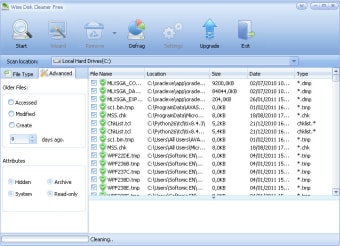
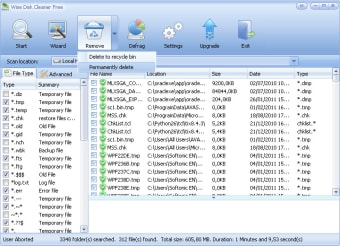
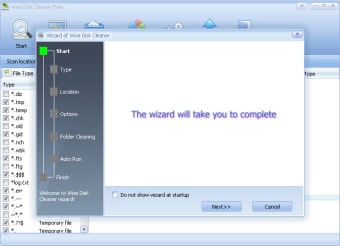
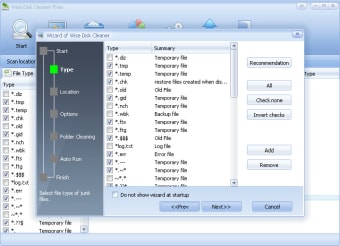
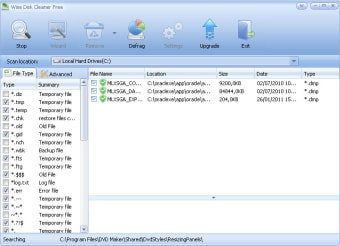
The good thing about Wise Disk Cleaner is that it works with lots of different formats, from temporary internet files to installation logs, including user temporary files, old files and index files – with support for a wide range of extensions.Plus you can add a list of folders to include in the cleanup, and filter special file types by including them in the exclusion list. When launching Wise Disk Cleaner you’ll be presented with a wizard that guides you step by step through the whole process.You can select which types of file you want to remove and the location you want to scan, along with tweaking a few options. The procedure can be automated, meaning you can schedule cleanups and also tell Wise Disk Cleaner to auto-exit once the task is completed.

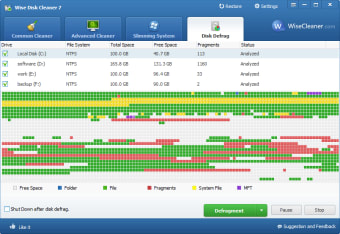
Wise Disk Cleaner features an easy-to-use, customizable interface. The program also includes a built-in basic defragmenting tool. On the downside, the program is quite slow, especially if you’re removing lots of files.


  • Pros

    • Searches for and deletes a wide range of temporary file types
    • Options for adding different file extensions
    • Support for scheduled tasks
  • Cons

    • Scans can take a while
 0/6

App specs

Also available in other platforms

Program available in other languages


Icon of program: Wise Disk Cleaner

Wise Disk Cleaner for PC

  • Free
  • 4.4
    503
  • 299.1K
  • V11.3.5.855
Free Download for PC

View an ad to download for free


User reviews about Wise Disk Cleaner

4.4

10 reviews

Add review

Main reviews for you

  • partner team

    Helpful Remover

    Wow!!! It removed a lot of junk files, and around 9 GB of free space remained consistently after cleanup.

  • Anonymous user

    It is a free and easy-to-use Windows disk clean tool.

  • Anonymous user

    Great app, cleared huge amount of junk files which I was never aware of.. Great app, cleared around 600 Mb hidden files which were useless window failed update files & other junk files.

  • Anonymous user

    Free and excellent software!. Simple to understand and use.It cleaned useless files on my PC, and also can clean the internet surfing histories, cookies and so on, makes my PC at peak performance.

  • Anonymous user

    The best disk clean software I've used!. This disk clean program is the best I've ever used.The surface is which I liked.It cleaned different type useless files on my computer and free up more space for it.

  • Anonymous user

    Run scanning fast, makes my laptop clean, free up more space.. Run scanning fast, makes my laptop clean,It deletes many junk files on my laptop, slim down and free up more space and makes my laptop running smoothly.Cleaning my internet browser history to protect my privacy well.

More

You may also like

Alternatives to Wise Disk Cleaner

Explore Apps

Latest articles

Laws concerning the use of this software vary from country to country. We do not encourage or condone the use of this program if it is in violation of these laws.

Softonic

Is Wise Disk Cleaner safe?

100/100

Score result: Clean

This file passed a comprehensive security scan using VirusTotal technology. It is safe to download.

  • Virus free
  • Spyware free
  • Malware free
  • Verified by Security Partners

    VirusTotal logo

Scan Info

Last scan
Thursday, June 18, 2026
Scan provider
VirusTotal · Full report

File Integrity

File
Wise_Disk_Cleaner_V11.3.5.855.exe
SHA256
d53dacb18dbb08bb7317da01dda6c3c6cc8477ec2e7c5edc2473cdca484d14ae
SHA1
22c34bd638b5d608a0165d90fa44c13a2587b6ca

Softonic security commitment

Wise Disk Cleaner has been thoroughly scanned by our advanced security systems and verified by industry-leading partners. This file comes from the official developer and has passed all our security checks, showing no signs of viruses, malware, or spyware. For more information, visit our Security and Trust Center

Signed in to Softonic as